Enable partners to sync and use Adobe flexible discounts in the Marketplace
The Adobe flexible discount feature allows partners to apply Adobe-provided discounts to eligible products in the Marketplace. These discounts help improve customer acquisition and retention by offering adjusted pricing for specific market segments and countries.
Aligned with Adobe's January 2026 release, flexible discounts now apply across the full subscription lifecycle, including initial purchase, scheduled subscriptions, and renewal.
Partners can:
- Discover available Adobe flexible discounts
- Sync them into the Marketplace
- Apply them automatically during customer purchases, on scheduled subscriptions, and at renewal
Prerequisites
-
Set up Adobe integration, if not done already. Refer to Configure and sell Adobe products for more details.
📝 Note: Double-check all prerequisites and marketplace settings as specified in this section, even if previously configured.
-
This feature is not available by default, contact your AppDirect technical representative for activation.
To sync and use Adobe flexible discounts in the Marketplace
Step 1: Sync Adobe Flexible Discounts to the Marketplace
-
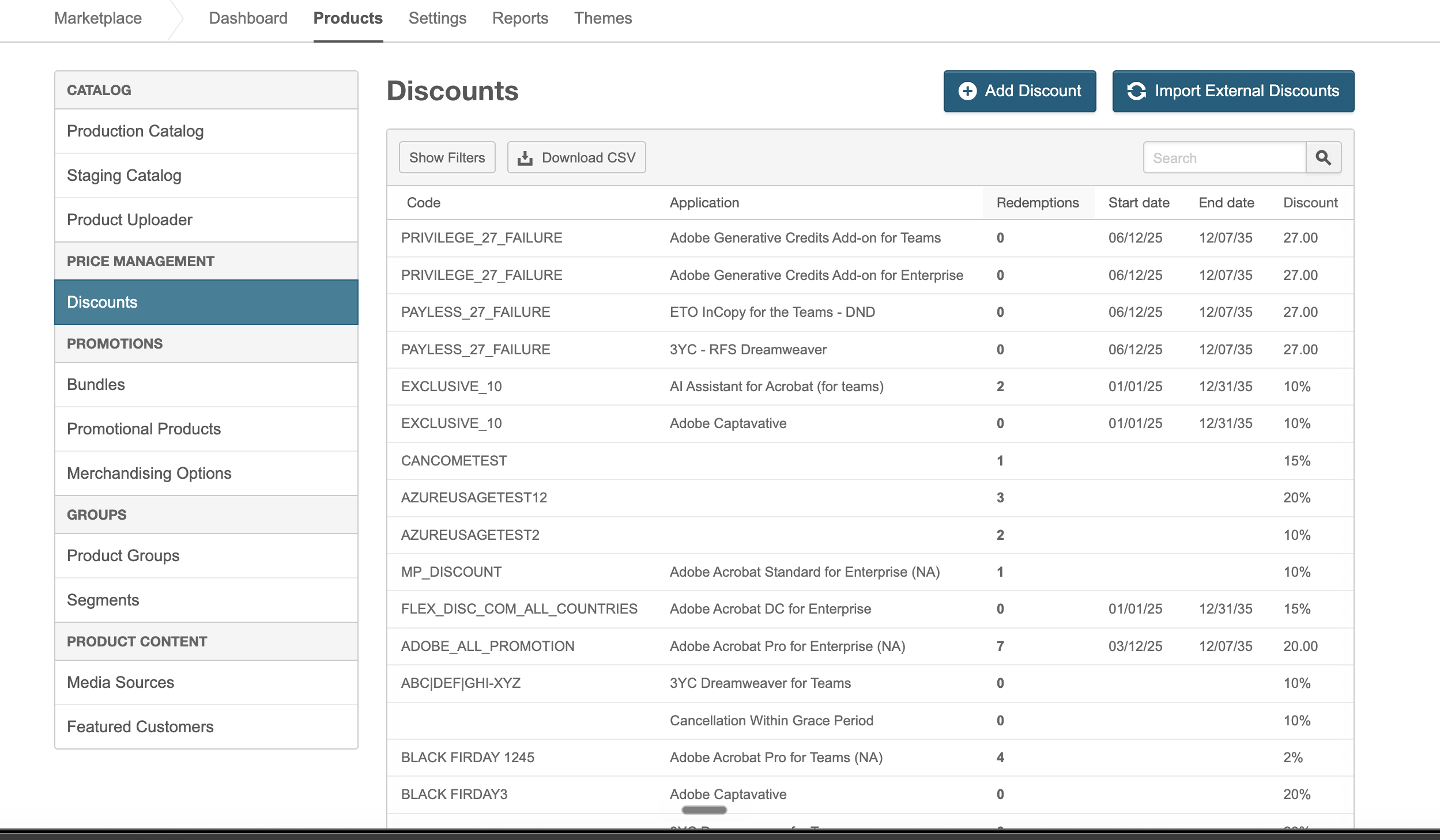
Go to Manage > Marketplace > Products > PRICE MANAGEMENT | Discounts.
The Discounts List page opens. -
Click Import External Discounts.
The Import Discounts from External Integrations page opens, displaying a table of discounts available from supported external integrations. -
(Optional) Use the filter fields at the top of the page to narrow down the list of discount codes:
- Source: Filter discount codes by the external provider source (for example, Adobe).
- Category: Filter by discount category (for example, Intro, Standard).
- Type: Filter by the type of discount (for example, Percentage, Fixed Price, Fixed Discount).
- Segment: Filter discount codes by customer segment (Commercial, Government, Education).
- Applicable at Renewal: Filter to show only discount codes that are applicable at renewal.
The results table displays the following columns for each discount: Source, Code, Application, Start Date, End Date, Discount, and Auto-apply.
-
(Optional) Review and update discount details:
a. Click a discount row to view its details.
b. Modify discount details, if needed.
c. Click Save to apply your changes.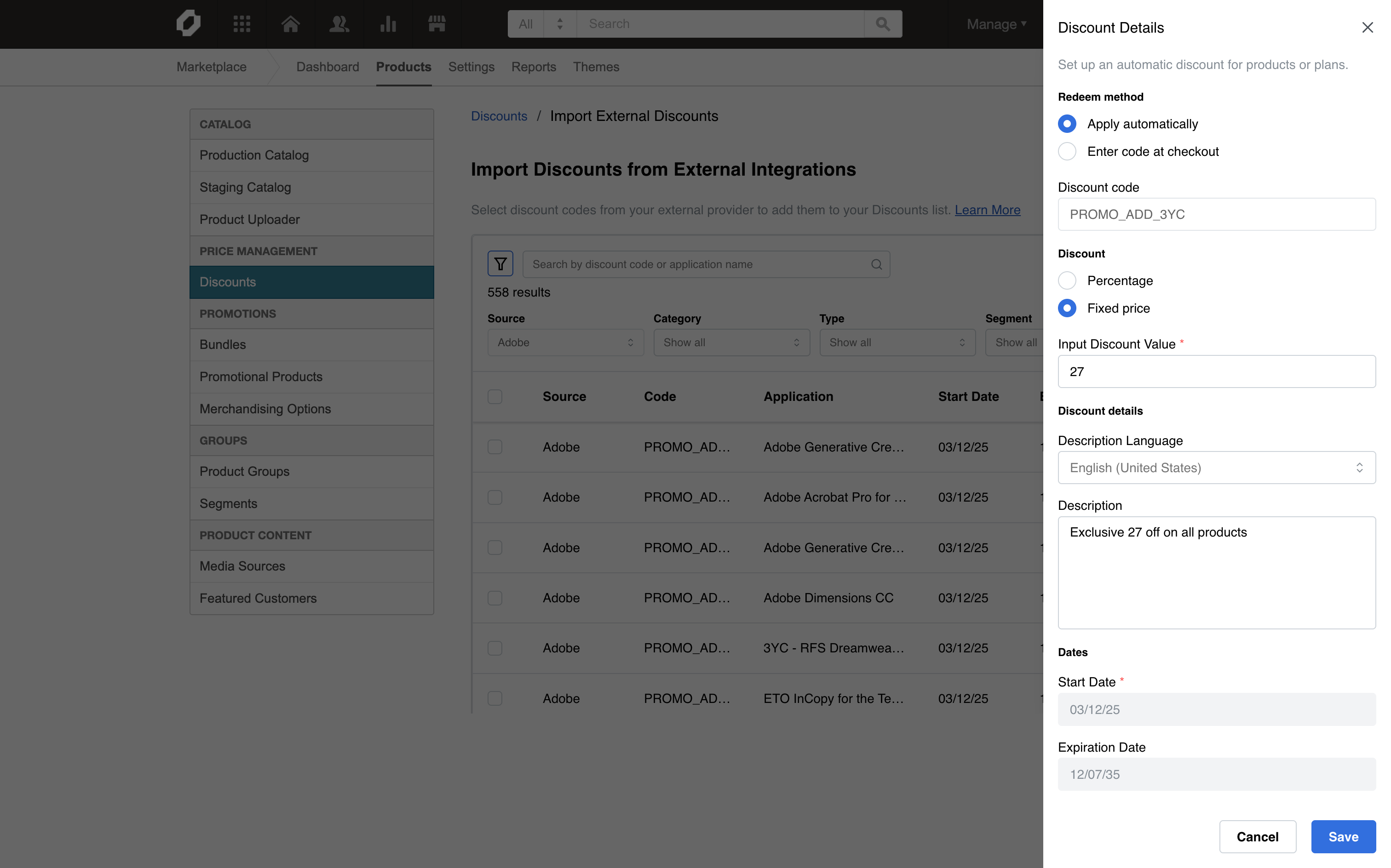
-
Select discounts to import:
a. Review the list of available discounts.
b. Select one or more discounts by checking the checkbox next to each discount.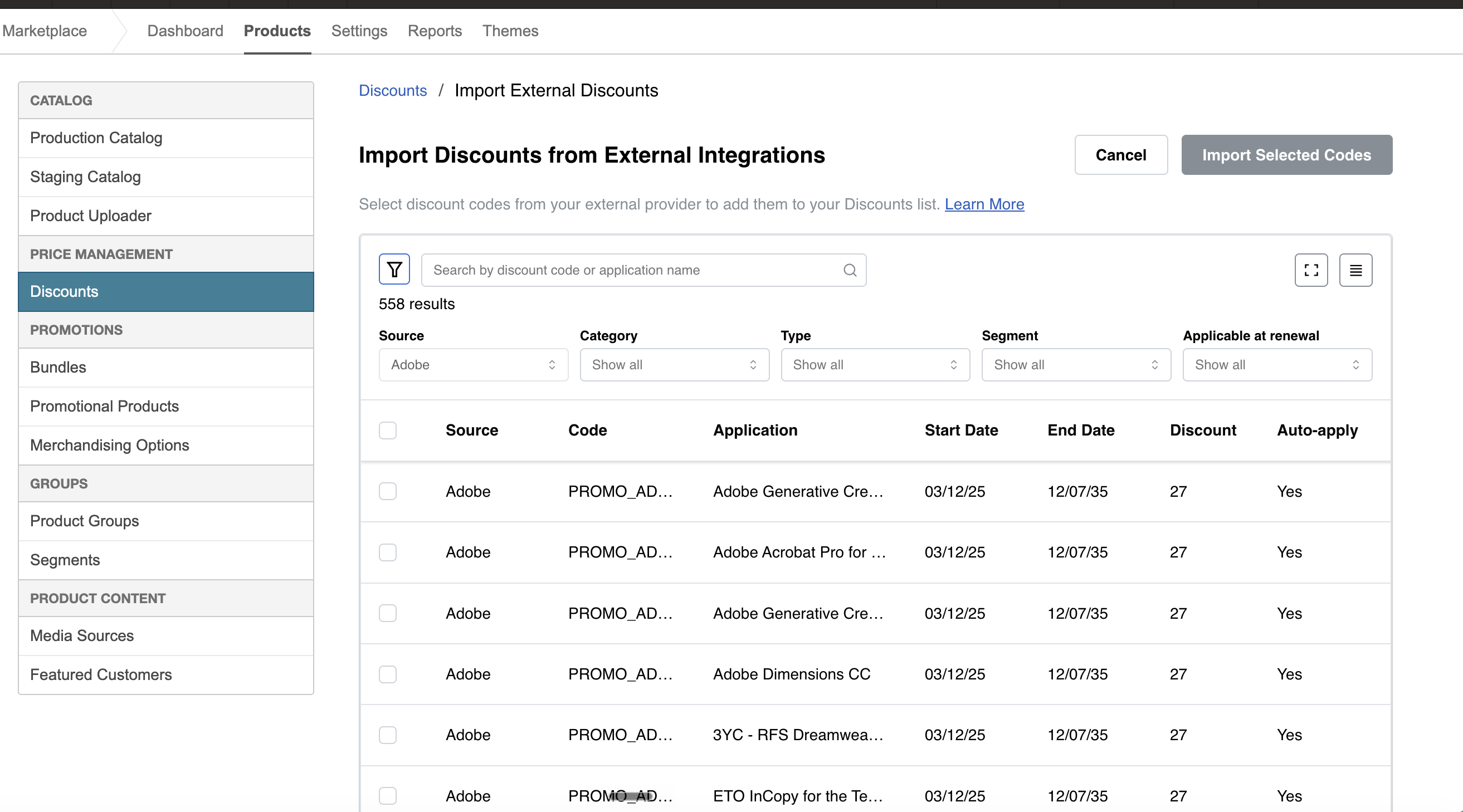
-
Click Import Selected Codes.
A confirmation message appears and the import process starts automatically. After completion, the imported discounts appear in the Discounts List page.📝 Note: Currently, Adobe is the only supported external integration. All listed discounts are sourced from Adobe.
Step 2: Use Adobe flexible discounts across the subscription lifecycle
When a customer places an order for an eligible product, Adobe applies the corresponding flexible discount during order processing. In addition to initial purchase, flexible discounts can now be applied to scheduled subscriptions and at renewal, based on the supported operations described in the next section.
Supported use cases
Adobe flexible discounts support the following operations across the subscription lifecycle:
- Create scheduled subscription with Flexible Discount: Create a new scheduled subscription with a flexible discount applied at the time of scheduling.
- Update subscription with Flexible Discount code: Apply or update a flexible discount code on an existing subscription.
- Remove Flexible Discount from a subscription: Remove a flexible discount from an existing subscription to end the benefits.
- Remove Flexible Discount from a scheduled subscription: Remove the Flexible Discount from a scheduled subscription. This is achieved by updating the active subscription without a discount and creating a new schedule to replace the existing scheduled order.
Troubleshooting
-
Issue: No discounts appear on the external discounts page.
Solution:- Verify that the Adobe integration connection is active
- Confirm that active flexible discounts exist in Adobe for the connected account
- Clear or adjust the filter fields (Source, Category, Type, Segment, Applicable at Renewal) to ensure they are not excluding available codes
-
Issue: Import fails with the message “Failed to import selected discount(s)”.
Solution:- Check whether the discount already exists in the Marketplace
- Use search or filters on the Discounts page to look for the discount code
For reusable Adobe flexible discounts, see Enable partners to use Reusable discounts.
Was this page helpful?
Tell us more…
Help us improve our content. Responses are anonymous.
Thanks
We appreciate your feedback!