Preview product profiles
You can preview the product profile of any product in your Staging Catalog.
To preview product profiles
📝 Note: This documentation page may refer to Manage > Marketplace in navigation steps. If the Manage option is not available in your navigation, click the grid icon on the top-left corner of your header and click Marketplace.
- Click Manage > Marketplace > Products > Catalog | Staging Catalog. The Staging Catalog opens.
- Click Edit. The Product Dashboard appears for the selected product.
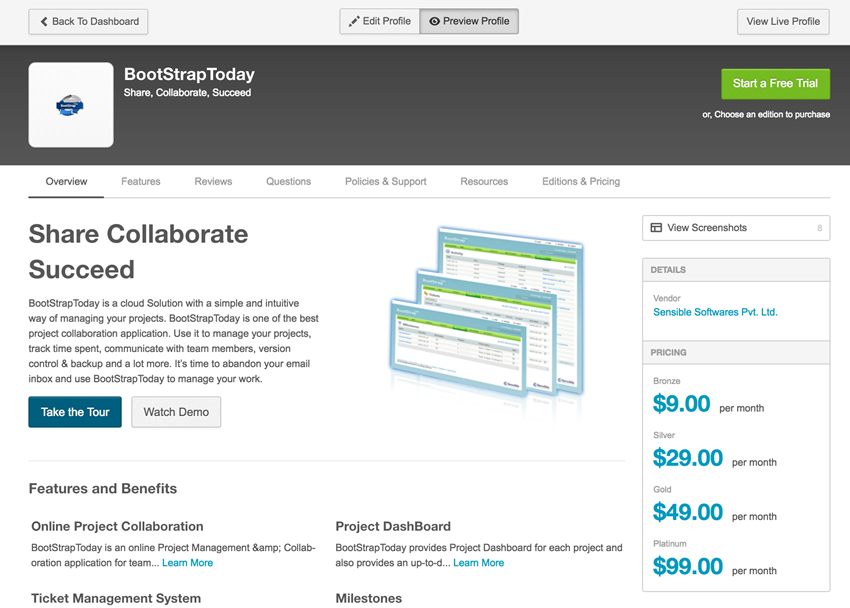
- Click Preview Profile. The profile appears in the preview mode, as shown in the following example.
- (Optional) Do one or more of the following:
- Click Back to Dashboard to edit the profile from the Product Dashboard.
- Click Edit Profile to edit the profile from the profile's graphical interface.
- Click View Live Profile to view the profile in your production environment.
Was this page helpful?
Tell us more…
Help us improve our content. Responses are anonymous.
Thanks
We appreciate your feedback!