Delete products
You can delete unpublished products but you cannot recover products that you delete. This function is labeled 6 in the following image.
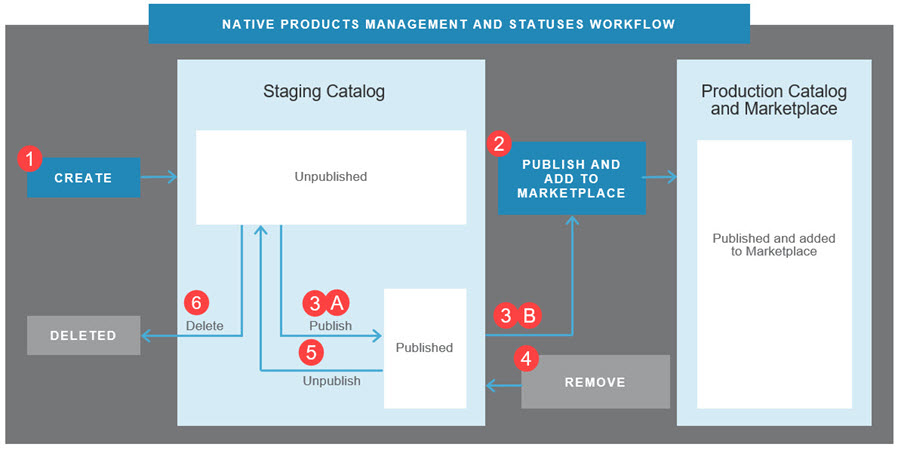
💡 Tip: For an introduction to this image and how Marketplace Managers manage products in the Staging and Production catalogs, see Manage product catalogs.
To delete a product from the staging catalog
📝 Note: This documentation page may refer to Manage > Marketplace in navigation steps. If the Manage option is not available in your navigation, click the grid icon on the top-left corner of your header and click Marketplace.
- Go to Manage > Marketplace > Products > Catalog | Staging Catalog. The Staging Catalog appears.
- Click the gear icon next the product you want to remove from the catalog, then select Delete You are prompted to confirm the deletion.
- Click Confirm Delete. A message confirms the deletion.
Was this page helpful?
Tell us more…
Help us improve our content. Responses are anonymous.
Thanks
We appreciate your feedback!