Configure a GDAP relationship friendly name
When a GDAP (Granular Delegated Admin Privileges) relationship is established with a customer, Microsoft can show a system-generated relationship name in the customer’s approval experience. Those names may look random and be hard to recognize, which can confuse customers and lead them to revoke the relationship.
You can configure a friendly name that replaces the system-generated name in GDAP approval requests sent to customers. The marketplace appends a unique identifier (timestamp) to satisfy Microsoft’s requirement that each GDAP relationship name is unique across the marketplace.
The friendly name applies to:
- Custom GDAP relationships—for example, when you create a GDAP relationship request from Company Details.
- Default GDAP relationships—assigned automatically when a new customer tenant is created, where default GDAP applies on your marketplace.
Existing GDAP relationships can be renamed using the related GraphQL mutation for partners who manage relationships through the API. Refer to the GraphQL schema and API documentation on the Developer Portal.
For a summary of the product change, see Friendly name support for GDAP relationships (728 release notes).
Set the friendly name
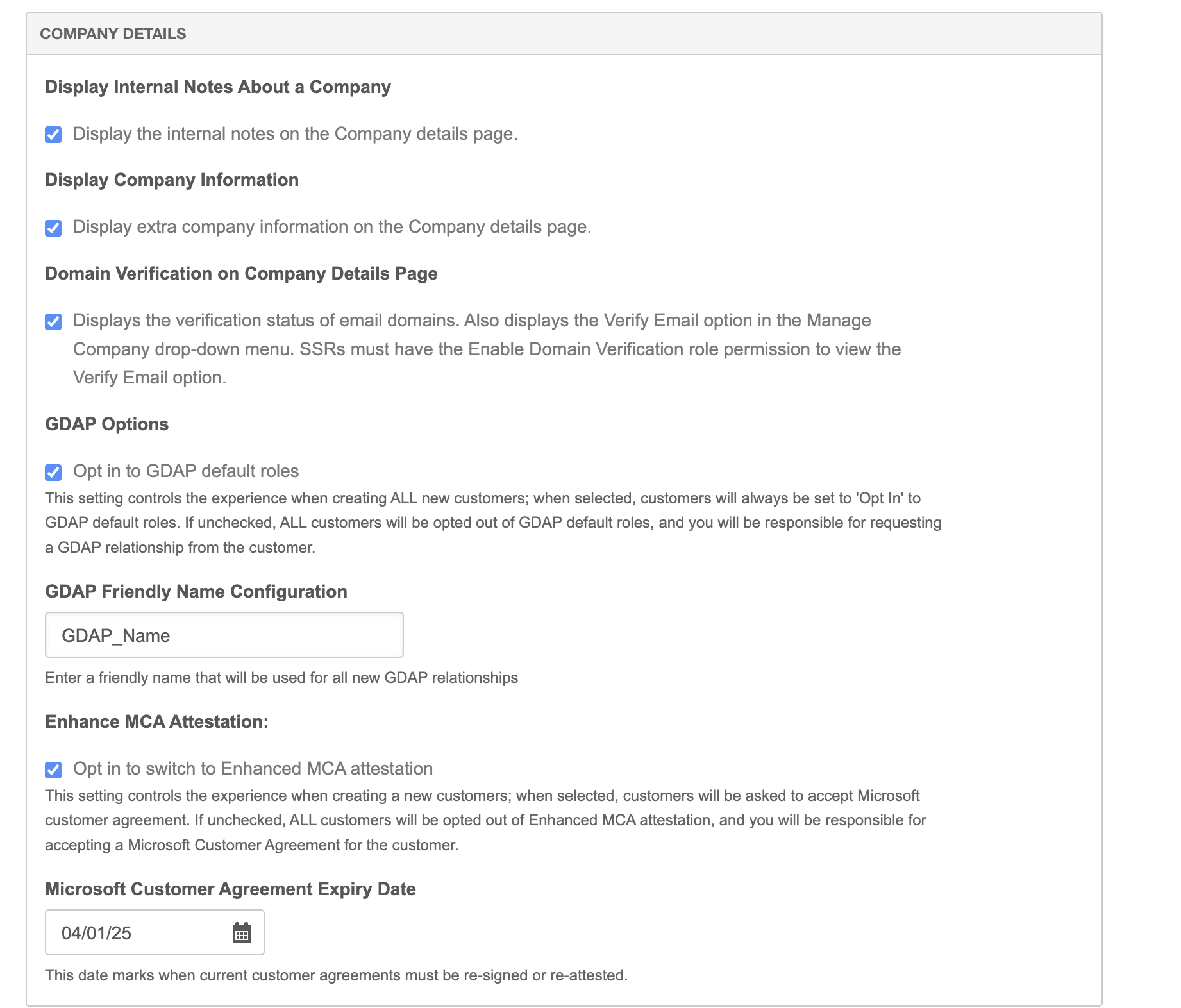
- Go to Manage > Marketplace > Settings > Settings | Marketplace Functionality. Scroll to the Company Details section.
- Enter a friendly name in the GDAP Friendly Name Configuration field.
Was this page helpful?
Tell us more…
Help us improve our content. Responses are anonymous.
Thanks
We appreciate your feedback!