Microsoft Customer Agreement (MCA) attestation
The Microsoft Customer Agreement (MCA) is the contract between Microsoft and your organization that governs the purchase and use of Microsoft cloud services through the Cloud Solution Provider (CSP) program. Before you can purchase certain Microsoft products through the marketplace, your organization must review and accept this agreement.
During checkout, the marketplace guides you through the MCA attestation process. You open the agreement in Microsoft, review and accept it, and then return to the marketplace to continue the purchase. The marketplace automatically detects when the agreement has been accepted and allows you to proceed with the remaining Microsoft tenant setup steps. You are not required to manually verify and confirm that the attestation is complete before proceeding.
MCA attestation appears during checkout when:
• You purchase a Microsoft product that requires a new Microsoft tenant
• Your company has not already accepted the Microsoft Customer Agreement
If your company has already accepted the agreement, the attestation step does not appear and you can continue the purchase normally.
MCA attestation flow
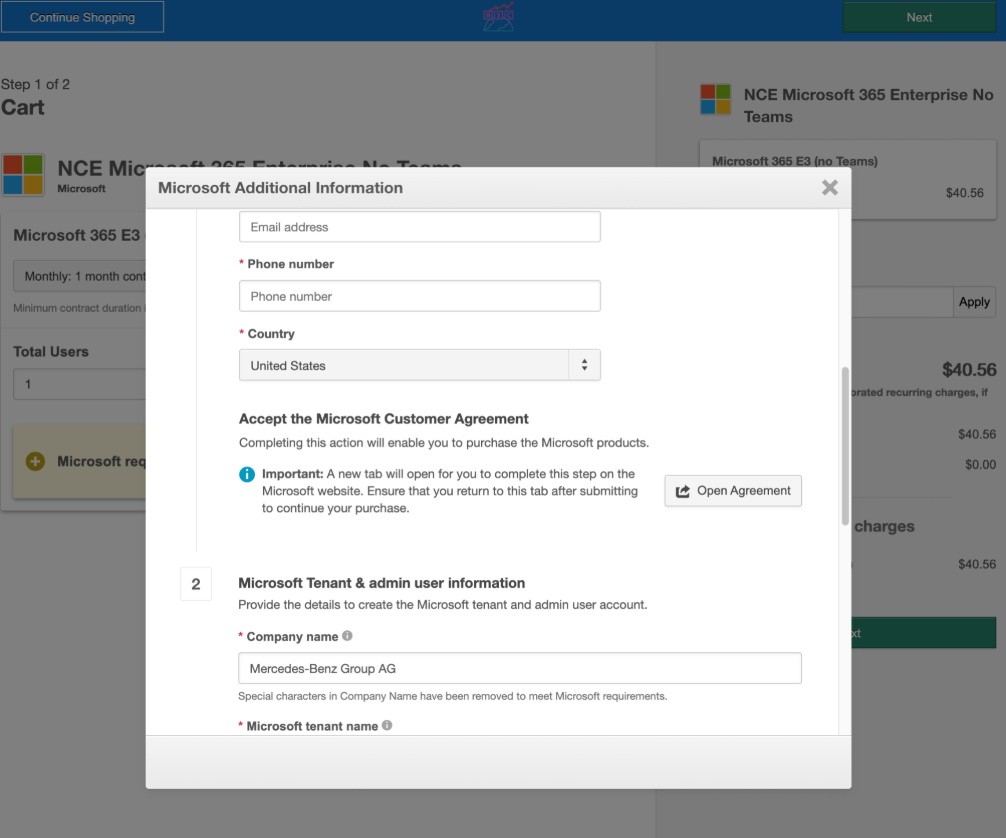
When a purchase requires MCA attestation, the Microsoft Additional Information form appears during checkout. You complete the required steps to accept the agreement and provide Microsoft tenant information.
-
Provide customer information.
a. Enter the contact details required to generate the Microsoft Customer Agreement request.
b. Select Open Agreement to open the Microsoft Customer Agreement. Review and accept the agreement in the Microsoft Admin Center.
c. After accepting the agreement, return to the marketplace checkout flow.
Checkout V2 (self-serve)
-
Provide Microsoft tenant and administrator information.
a. After the agreement is accepted, continue by entering the required Microsoft tenant and administrator information.This information is used to create the Microsoft tenant and administrator account required for the subscription.
Checkout experiences that support MCA attestation
The MCA attestation flow is supported in the following Microsoft purchasing experiences:
- Checkout v1 self-serve
- Checkout v2 self-serve
- Checkout v1 assisted sales
In these checkout experiences, the marketplace automatically confirms that the Microsoft Customer Agreement has been accepted and allows you to proceed with the purchase.
To complete MCA attestation:
-
Enter the required contact details in the Microsoft Additional Information step.
-
Select Open Agreement to open the Microsoft Customer Agreement.
-
Accept the agreement in the Microsoft Admin Center.
-
Return to the marketplace checkout flow.
-
Enter Microsoft tenant and administrator information to continue checkout.
Checkout v1 self-serve flow
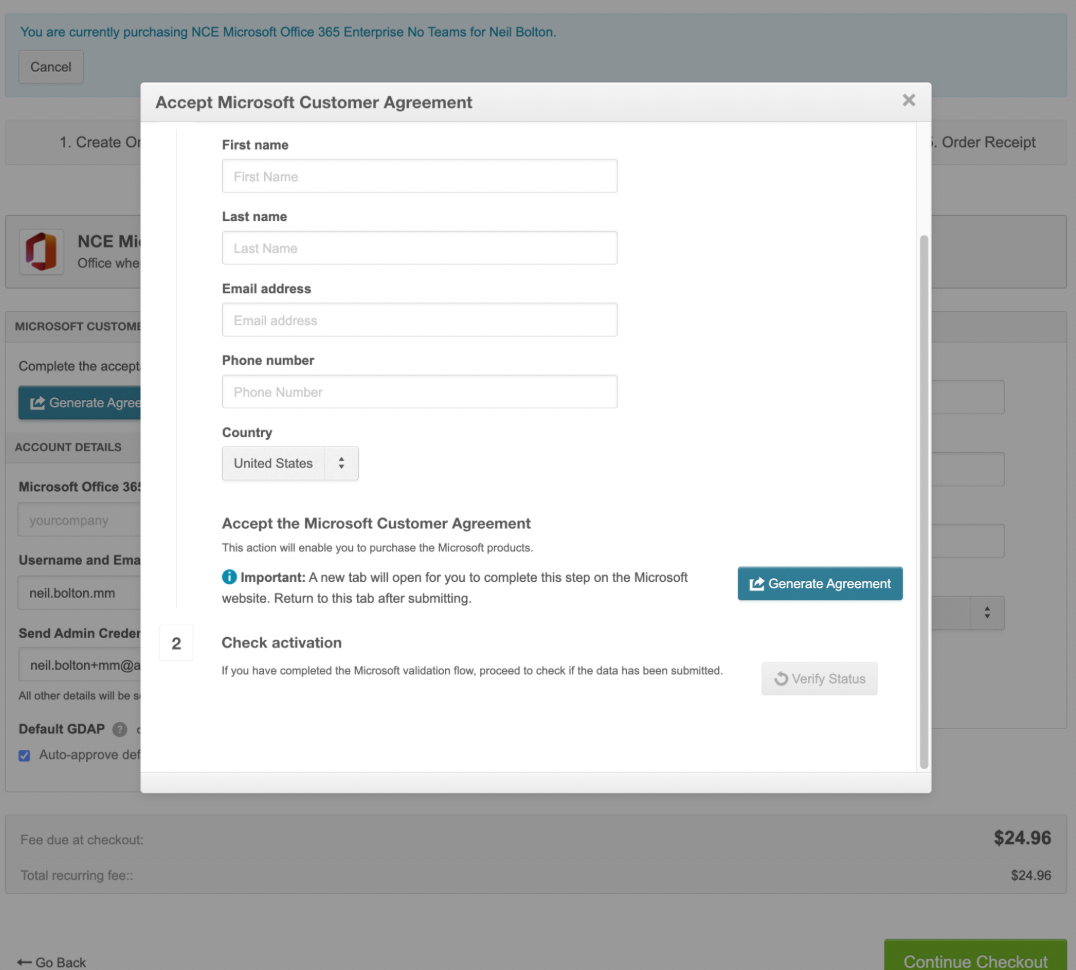
If the agreement has not been accepted, the marketplace prompts you to reopen the agreement and complete the attestation before continuing.
Email notifications for MCA attestation outcomes
When an MCA attestation reaches a final outcome—the customer accepts the agreement, or the request expires without acceptance—sales agents can receive automatic email alerts through Notifications v2. The marketplace raises a notification as soon as Microsoft reports the status, so agents do not need to return to the Opportunities or Company Details page to discover the result. That matters most when several attestations are active at once.
This behavior is delivered as two notification (v2) templates (one for accepted, one for expired) so you can enable, customize, and route each outcome separately. For how to work with templates and email content, see Work with notification templates and Notification template content.
📝 Note: Your marketplace must already use Notifications v2 before these MCA attestation templates apply.
Where to configure
Go to Manage > Marketplace > Settings > Custom UI | Notifications to find the MCA attestation notification templates, turn on email (and other delivery methods if offered), and edit template content as needed.
Was this page helpful?
Tell us more…
Help us improve our content. Responses are anonymous.
Thanks
We appreciate your feedback!