Edit add-on information
Follow this procedure to edit add-on information that appears on marketplaces.
To edit add-on information
- Click Manage > Billing and Distribution > Products > productName | Edit > Connections & Pricing | Pricing. The Manage Add-on Pricing page opens for the selected add-on product.
- Complete the Add-on Information fields:
- Name—Name for the add-on pricing configuration. This is for internal reference only and it is not displayed in the UI.
- Add-On Code—Code to identify this add-on in the XML exchanged between the marketplace and the Developer. It does not need to be unique on the marketplace but does need to be unique for the product. This code is not displayed in the UI. If not applicable, enter any value.
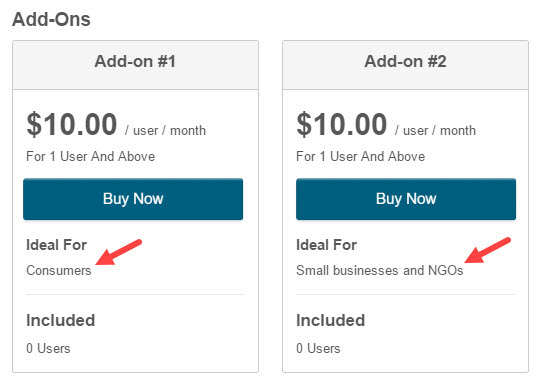
- Target Audience—Text that appears on the marketplace Editions & Pricing tab. It is displayed as Ideal for targetAudience. It helps users identify which edition is best suited to their needs. For example, consumers, or small businesses and NGOs.
- Click Save Plan. A message confirms that the configuration is saved.
Was this page helpful?
Tell us more…
Help us improve our content. Responses are anonymous.
Thanks
We appreciate your feedback!