Override the physical goods payment gate
Marketplace Managers can release an unpaid hardware purchase that stays blocked until payment is recorded on the marketplace. Use this action when the buyer pays outside the marketplace, for example by wire transfer, later invoicing, or net terms. The override does not mark the invoice as paid.
Only Marketplace Managers can override the payment gate. The action applies to hardware purchases across fulfillment integrations. Contact your AppDirect technical representative to enable it for your marketplace. There is no marketplace setting for this action.
❗ Important: You cannot undo an override, and you cannot override the same purchase again.
To override the payment gate
-
Go to Manage > Marketplace > Dashboard > BILLING | Purchases. The Purchases page opens.
-
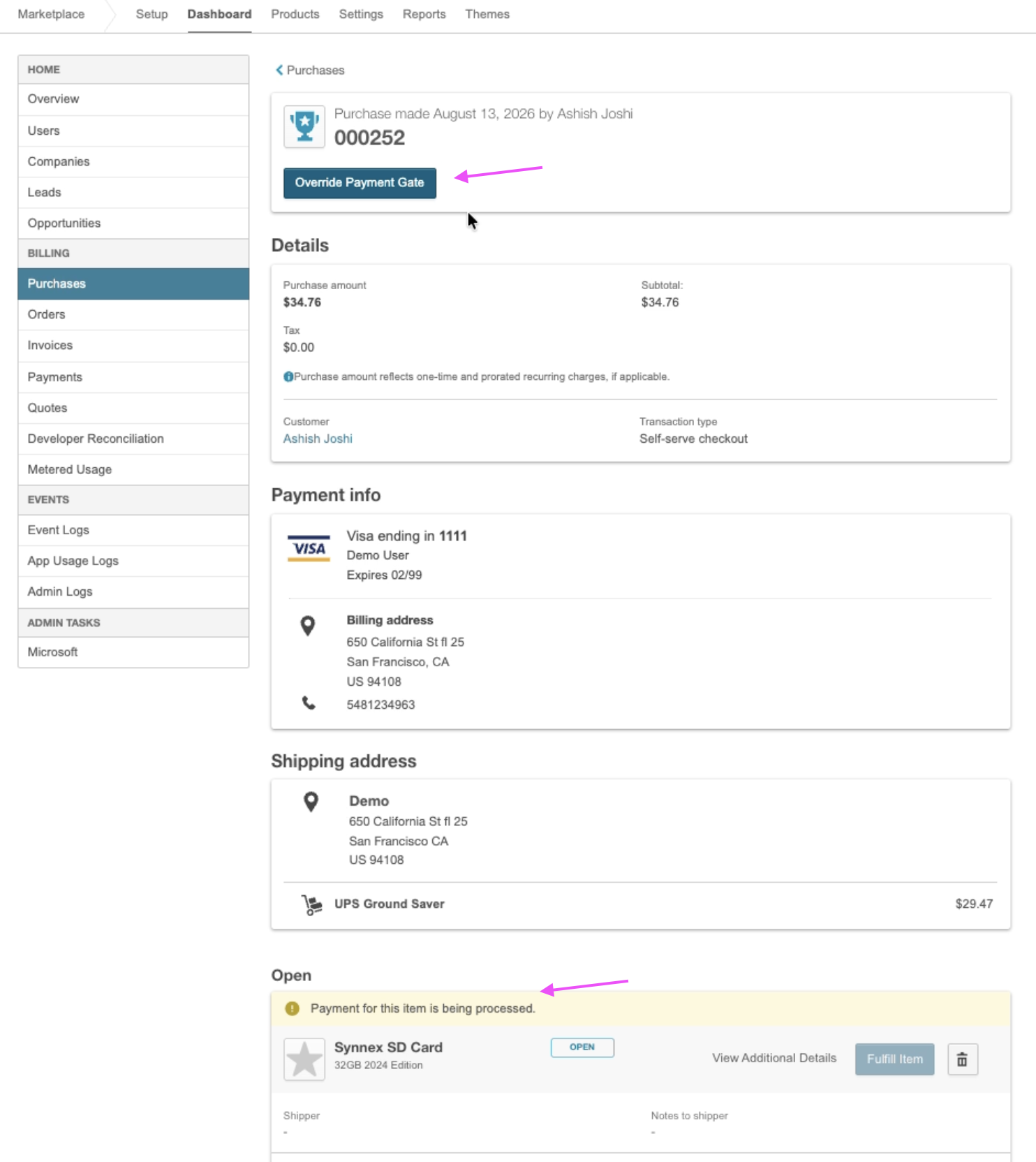
Open the unpaid hardware purchase. Override Payment Gate appears in the header, and a message states that payment for the item is being processed. Fulfill Products is not available until you override the payment gate.
-
Click Override Payment Gate. The Override payment requirement dialog opens. It warns that the order has not been paid on the marketplace, and it states that automated items fulfill immediately while manual items still require a fulfillment action.
-
Click Override Payment Gate. The purchase details page reloads, and the items are no longer pending payment.
Automated items are sent to the fulfillment provider. For manual items, click Fulfill Products and complete fulfillment. See Fulfill physical goods purchases. Record the payment on the invoice. See Add or edit off-platform payments.
Override Payment Gate does not appear again for that purchase.
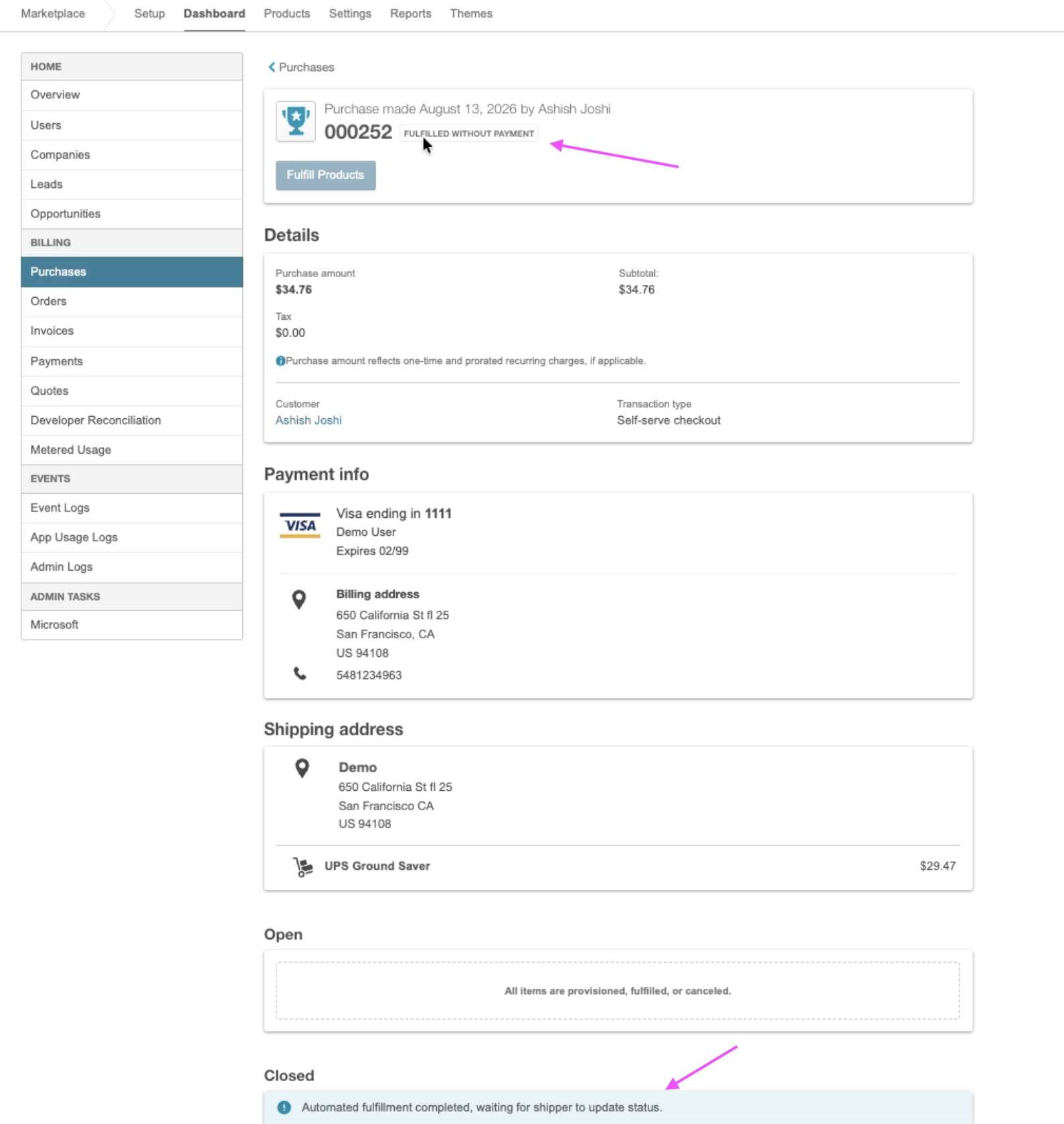
When fulfillment is complete, Fulfilled without payment appears in the purchase header, next to the purchase number. For manual items, the badge appears after you finish fulfillment, not immediately after the override.
The platform records the Marketplace Manager, the purchase ID, and the time of the override. That record does not appear on the purchase details page.
Was this page helpful?
Tell us more…
Help us improve our content. Responses are anonymous.
Thanks
We appreciate your feedback!