Control AppInsights access by role
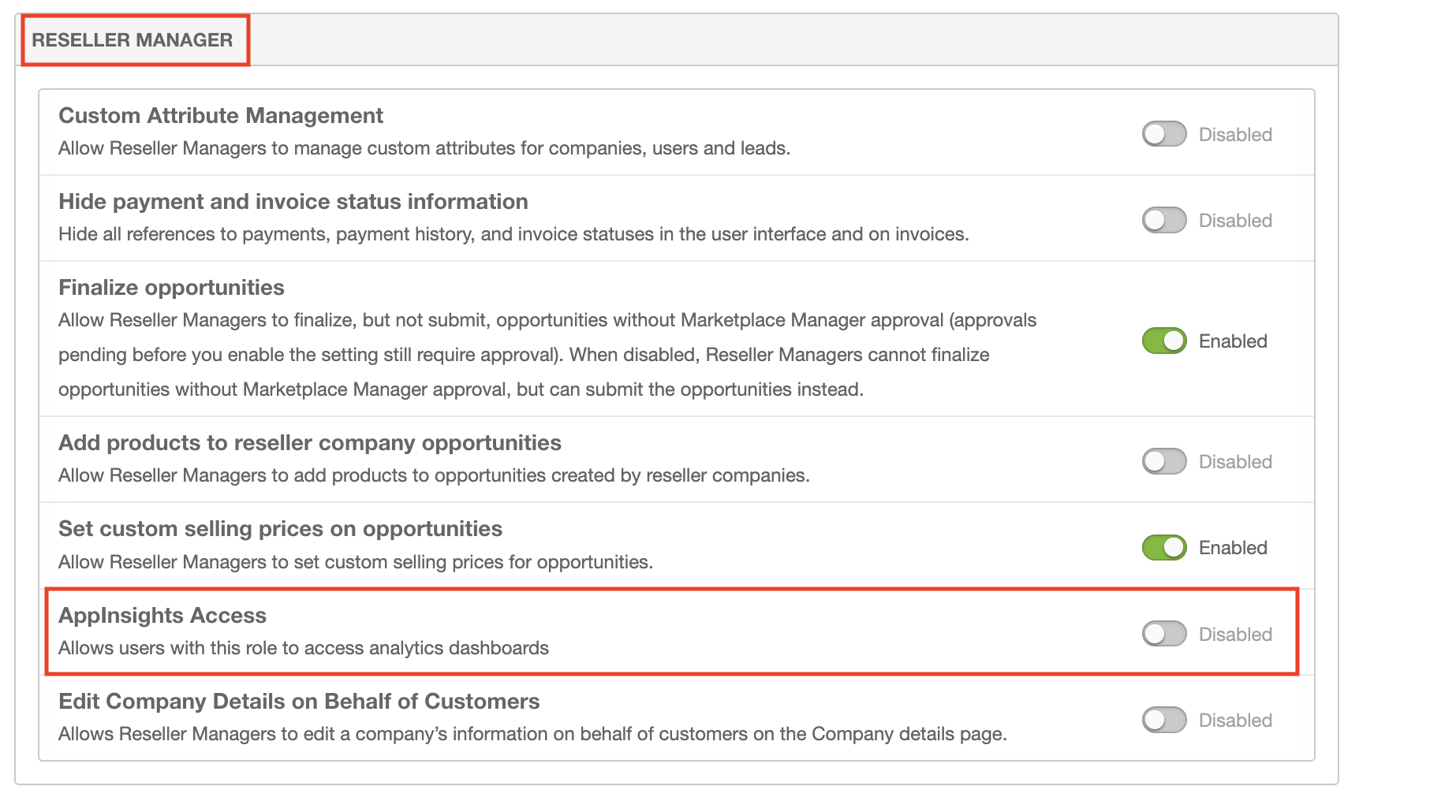
Marketplace Managers can control whether AppInsights is available to Company Administrator, Reseller, and Reseller Manager users independently. Each role has an AppInsights Access toggle on the role permissions page.
When AppInsights Access is off for a role, users with that role do not see the AppInsights entry point in the Marketplace.
📝 Note: These toggles control visibility and access per role. They do not provision AppInsights on the marketplace.
Configure access
- Go to Manage > Marketplace > Settings > Settings | Roles. The Role Permissions page opens.
- Open the section for the role you want to configure: Company Administrator, Reseller, or Reseller Manager.
- Set AppInsights Access to allow or deny AppInsights for users with that role.
Each role has its own toggle. Changing one role does not change the others. The default is On for Company Administrator, Reseller, and Reseller Manager on new and existing marketplaces.
Related topics
Was this page helpful?
Tell us more…
Help us improve our content. Responses are anonymous.
Thanks
We appreciate your feedback!