Access AppInsights
Who can use AppInsights
Default AppInsights dashboards depend on your Marketplace role. Common roles include Marketplace Manager, Reseller, Reseller Manager, Company Administrator, and Developer. Marketplaces can turn off AppInsights for some roles; see Control AppInsights access by role.
Users without an eligible role see a message that they do not have access to AppInsights.
Open AppInsights
- Sign in to the marketplace.
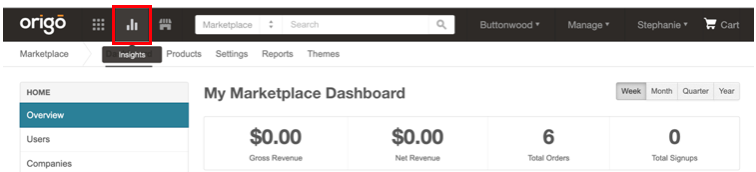
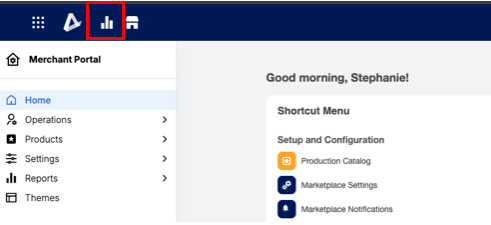
- Click the AppInsights icon in the Marketplace top navigation.
📝 Note: The AppInsights icon appears in the top navigation on marketplaces that use the universal header. On marketplaces that still use the legacy header, open AppInsights at
/insights/appif you have an eligible role.
Legacy header:
Universal header:
Self-serve marketplaces
On some self-serve marketplaces, Company Administrators must have at least ten subscriptions before default AppInsights dashboards appear. This rule applies to self-serve editions only.
Related topics
Was this page helpful?
Tell us more…
Help us improve our content. Responses are anonymous.
Thanks
We appreciate your feedback!