AppInsights for Developers
Developers who publish products on the marketplace use AppInsights to review earnings and operational metrics for products they own or have published. You do not need Marketplace Manager access to open the developer dashboard.
The dashboard has Performance, Operations, and (when enabled on your marketplace) Leads tabs. Widgets are read-only. Metrics apply only to your products.
Creating custom visualizations is not available when you sign in as a Developer only. If you also have Marketplace Manager, Reseller, or Reseller Manager access with AppInsights, you keep Custom Insights for those roles. See Create custom insights.
Before you begin
You need the Developer role and AppInsights access for that role. Marketplace Managers can turn off AppInsights per role. See Access AppInsights and Control AppInsights access by role.
If you do not see the AppInsights icon or the developer dashboards, ask your Marketplace Manager or AppDirect technical representative whether the feature is enabled for your marketplace and role.
Tabs
| Tab | Use it to |
|---|---|
| Performance | Track gross and net revenue, recurring revenue, and one-time revenue for your products |
| Operations | Review orders, subscriptions, seats, and billing for your products |
| Leads | Review lead volume and status for your products when lead widgets are enabled |
Open the dashboard
- Sign in to the marketplace with a Developer role.
- Click the AppInsights icon in the Marketplace top navigation.
- Open the developer Performance, Operations, or Leads view from AppInsights.
Example Operations tab:
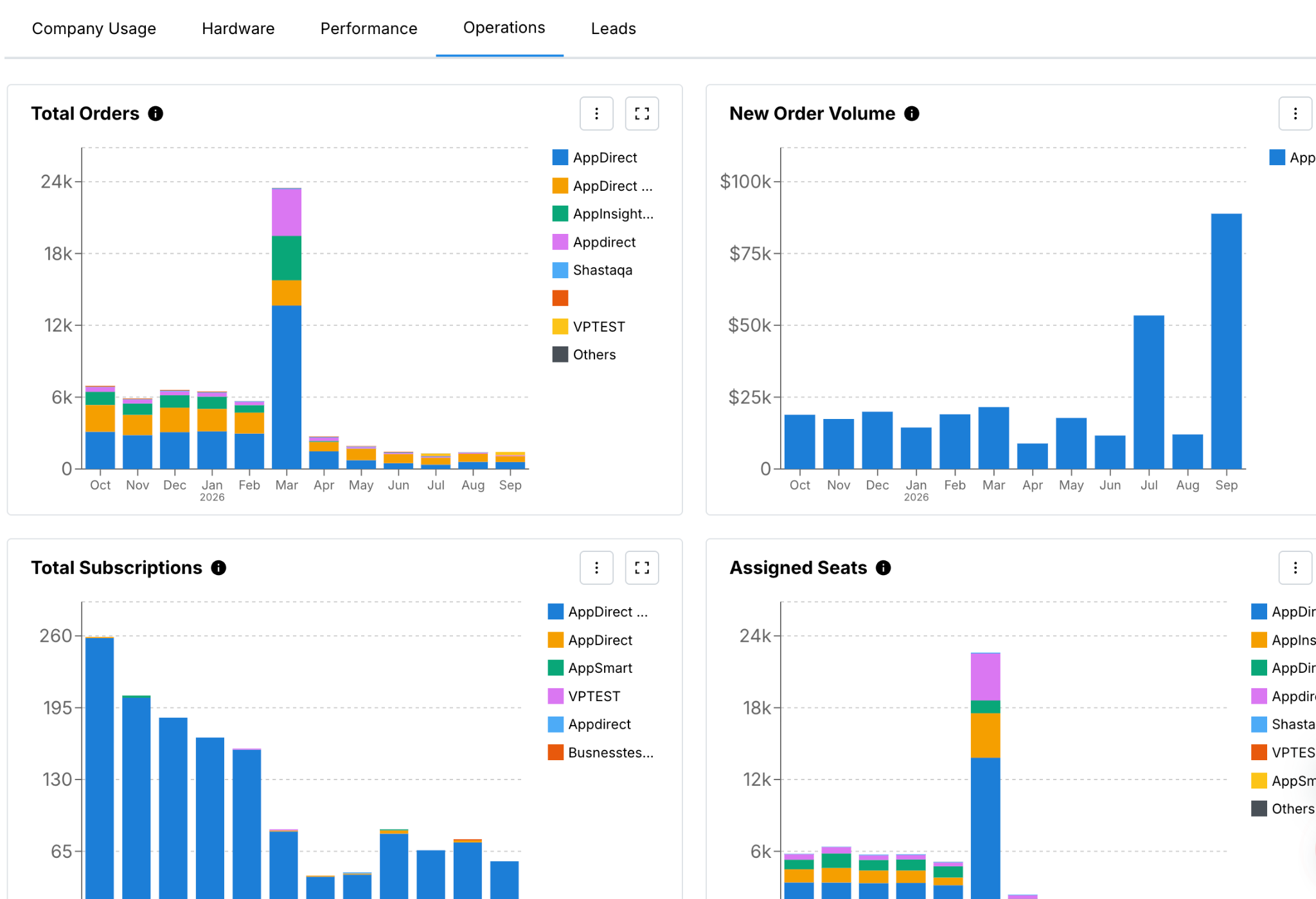
For each tab’s widgets, see the tab topics linked above.
Related topics
Was this page helpful?
Tell us more…
Help us improve our content. Responses are anonymous.
Thanks
We appreciate your feedback!