New variables for notification email templates
Minor Upgrade
The following two new variables have been added to the notification email templates Invoice PDF Created and New Invoice Created:
- providerID — This variable includes the Product Vendor ID in the notification email.
- providerName — This variable includes the Company Name in the notification email.
You can use these options to show which vendor and company are linked to each product on invoices and PDF notification emails.
Key highlights
- Added two new variables to notification emails: providerID and providerName.
- These variables help Marketplace Managers and Billing Administrators identify the vendor and company tied to each invoice line item without manual template workarounds.
- The providerName variable is sourced from the text field in the product listing information, and both variables automatically populate with the correct values for each invoice line item.
- There is no UI change associated with the notification configuration process.
📝 Note: If multiple providerIDs or providerNames apply, they are displayed in the notification email as a comma-separated list.
UI updates
providerID (Product Vendor ID) and providerName (Company Name) can now be selected when editing Notifications email templates.
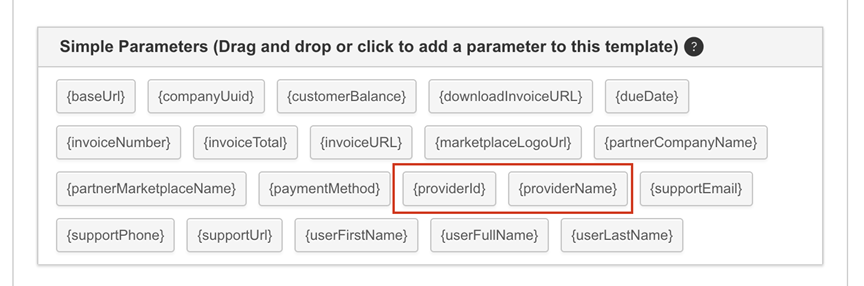
The notification setup screen is unchanged — these options are simply added to the list of available variables. Use them to include vendor and product details in emails such as the Invoice PDF Created notification.
Feature enablement
This feature is enabled by default.
Setting enablement
No setting enablement is required.
Documentation
Was this page helpful?
Tell us more…
Help us improve our content. Responses are anonymous.
Thanks
We appreciate your feedback!