Create and activate your user account
The first step for a user to access the marketplace is to create an account and activate it. This can be done in following two ways:
-
Marketplace administrator initiated account activation - This is when a marketplace manager creates a new user and sends an email with the activation link. You will receive an email invitation, but the account is not activated at this point.
To activate the account:- Click the Activate Account link in the email, the following form opens:
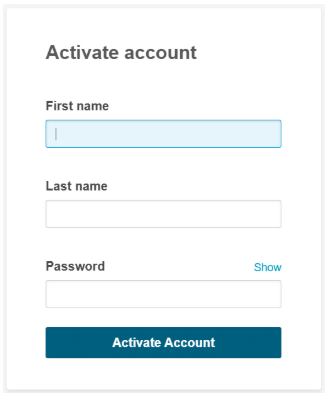
- Provide the required details and click Activate Account.
You will be redirected to the login page, provide your credentials to login. For more information on how to login, see Login process.
- Click the Activate Account link in the email, the following form opens:
-
Self created account activation - This is when you go to the login page of a marketplace and create and activate your own account. To create and activate your user account:
- From the login card, click Create Account.
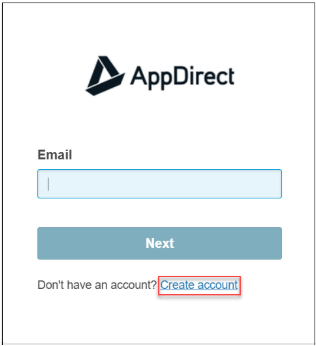
- In the form that opens, provide your email id, and click Create Account. A notification email is sent to your email id.
- Click the Activate Account link in the email, the following form opens:
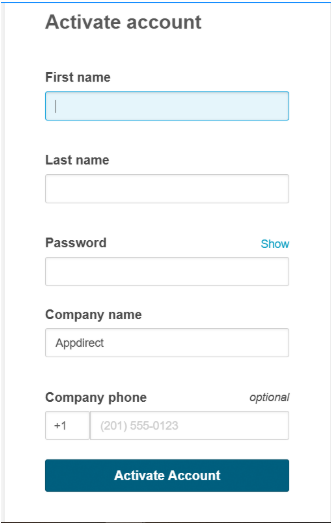
- Provide the required details and click Activate Account.
You will be redirected to the login page, provide your credentials to login. For more information on how to login, see Login process.
- From the login card, click Create Account.
Was this page helpful?
Tell us more…
Help us improve our content. Responses are anonymous.
Thanks
We appreciate your feedback!