Improvements to product marketplace settings UI
Moderate Upgrade
❗ Important: This feature is currently in EA (Early Availability).
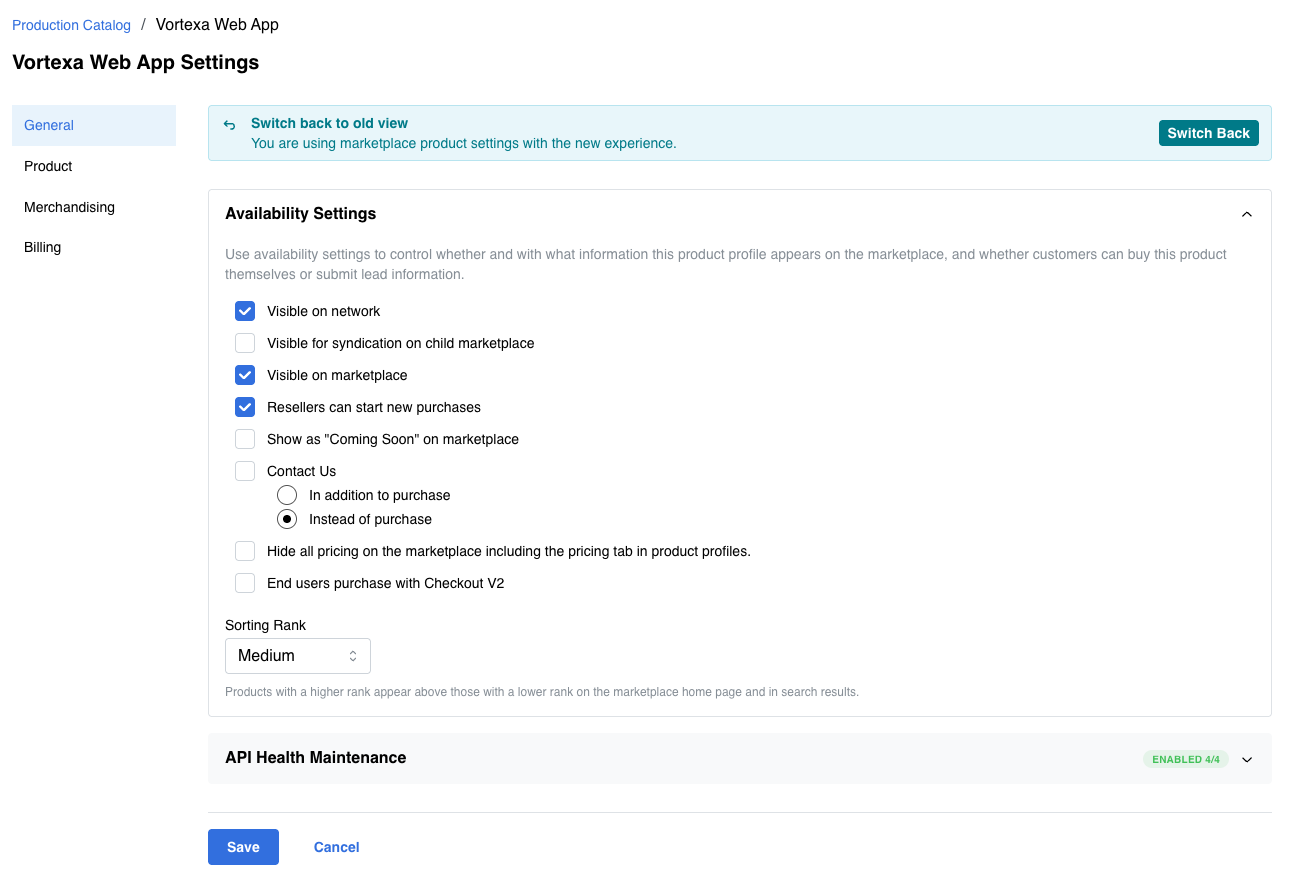
The Edit Marketplace Settings page has been redesigned to deliver a modernized interface and faster initial load performance. Marketplace Managers use this page to configure how a production catalog product appears and behaves on the marketplace.
All existing product marketplace settings are preserved. This is a UI and performance improvement, not a change to available settings or behavior.
Where the changes apply
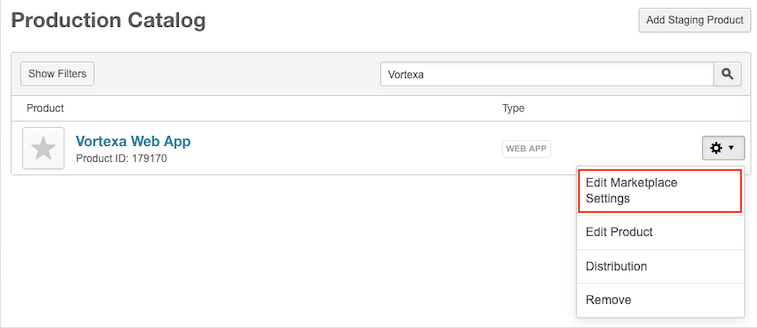
The updated experience is on Manage > Marketplace > Products > Catalog | Production Catalog. Open a product's Edit Marketplace Settings page (gear icon next to the product).
What is changing
- Modernized layout — A cleaner interface aligned with the current design system, making it easier to manage product settings on the General, Product, and Billing tabs.
- Faster initial load — Above-the-fold content is optimized for faster rendering, especially for first-time and low-bandwidth users.
- Revert banner — A banner on the page lets Marketplace Managers switch back to the previous version for the current session.
📝 Note: If your marketplace has existing customizations on this page, contact your AppDirect technical representative before rollout to ensure a smooth transition to the new interface.
Feature enablement
This feature is enabled by default.
Setting enablement
No setting enablement is required.
Documentation
Documentation will be updated with the release. To learn more about the existing marketplace settings UI, refer to Edit product marketplace settings.
Was this page helpful?
Tell us more…
Help us improve our content. Responses are anonymous.
Thanks
We appreciate your feedback!