Clearer price ranges on checkout and subscription updates
Minor Upgrade
The pricing interface on checkout and subscription update flows now shows only the price that applies to each quantity range.
Previously, the page displayed duplicate pricing information by showing both default marketplace pricing and Price Book pricing at the same time, even when not all of those rates applied to the user. This caused confusion and led to incorrect totals.
Key highlights
- If a Price Book is available and applies to the user, the interface shows only that Price Book rate. If not, it shows standard marketplace pricing. Only one applicable price is displayed—not both.
- When several quantity ranges share the same price, they can appear as one range instead of repeating the same amount multiple times.
- This update applies to checkout and to the opportunity stage of the subscription update flow.
📝 Note: This update is applicable to Adobe products only.
Changes in the UI
Before:
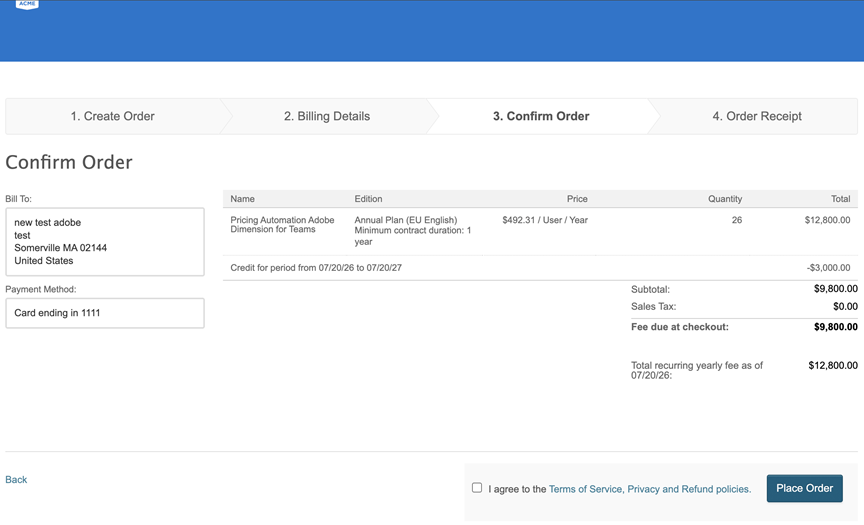
- Duplicate or incorrect price ranges on the create order page
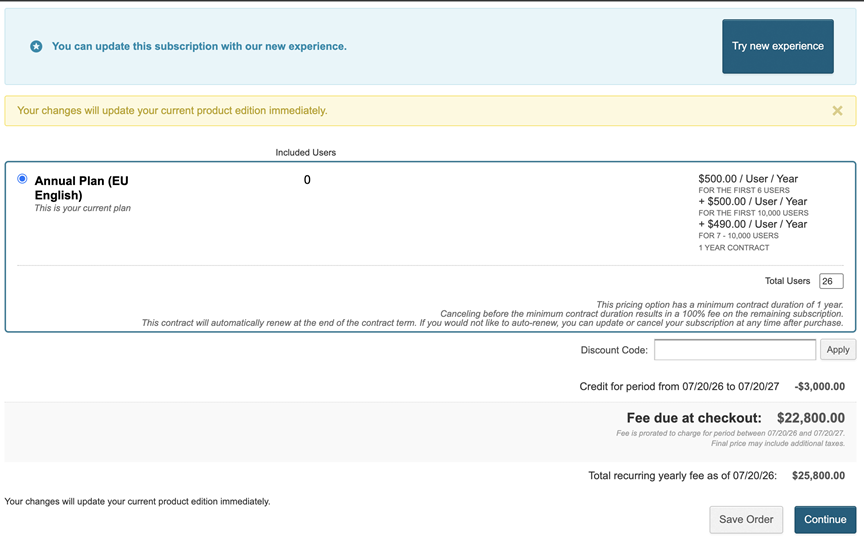
- However, the Fee due at checkout on the create order page displays the correct amount causing confusion.
After:
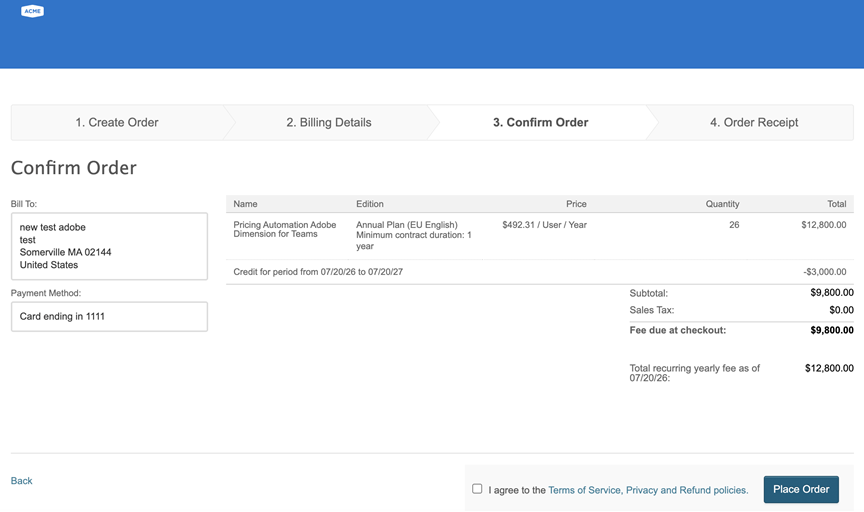
- Clear price ranges with no duplicates
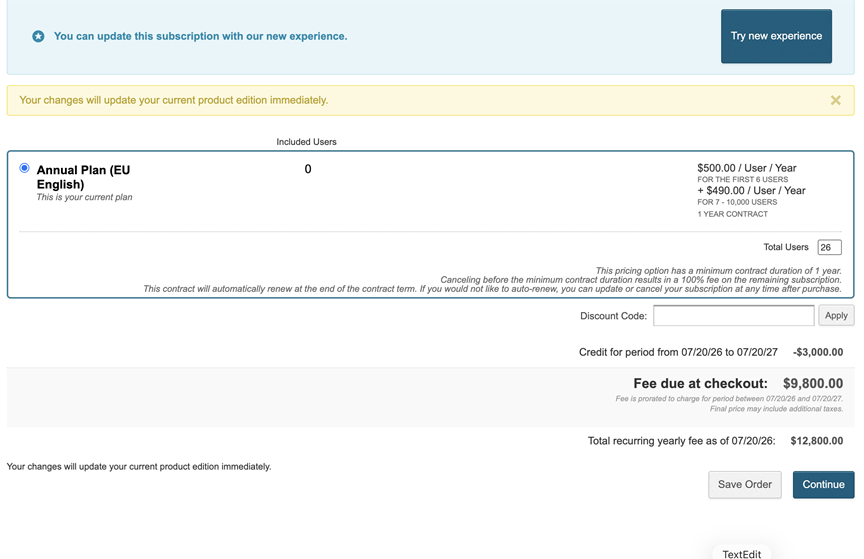
- The Fee due at checkout now match the amount on the create order and confirm order pages
Feature enablement
This feature is enabled by default.
Setting enablement
No setting enablement is required.
Documentation
No documentation update is required.
Was this page helpful?
Tell us more…
Help us improve our content. Responses are anonymous.
Thanks
We appreciate your feedback!