Cancel a scheduled subscription update
Major Upgrade
With this release, Company Administrators, Marketplace Managers, Resellers, and Sales Support Representatives can cancel a scheduled subscription update before it takes effect. Previously, the only way to undo a queued update was to schedule another update over it. Updates queued at the end of contract had no cancel path.
Cancel Scheduled Update withdraws the pending update and leaves the subscription on its current terms. The action applies to scheduled updates that take effect immediately, on a future date, or at end of contract, and to new purchases scheduled for a future date. Pending proration, draft invoices, and pending credits tied to the update are voided. Updates that have already been applied cannot be cancelled this way.
The action is distinct from Cancel Subscription. A confirmation step is required. In the Marketplace Manager console and assisted sales flows, an optional reason can be captured.
📝 Note: Cancel Scheduled Update appears only when a pending scheduled update exists and cancellation is still allowed. If a vendor rule blocks the cancellation, a reason is shown. This release supports one pending scheduled update per subscription.
UI updates
v1 classic experience
- On the Scheduled Update modal, Marketplace Managers, Developers, and Resellers can select Cancel Scheduled Update next to Override Scheduled Update.
- On the app detail page, Company Administrators and customers can select Cancel Scheduled Update from the options (gear) menu, above Cancel Subscription.
v2 new experience
-
On the subscription detail page, Cancel Scheduled Update appears on the Scheduled Changes banner.
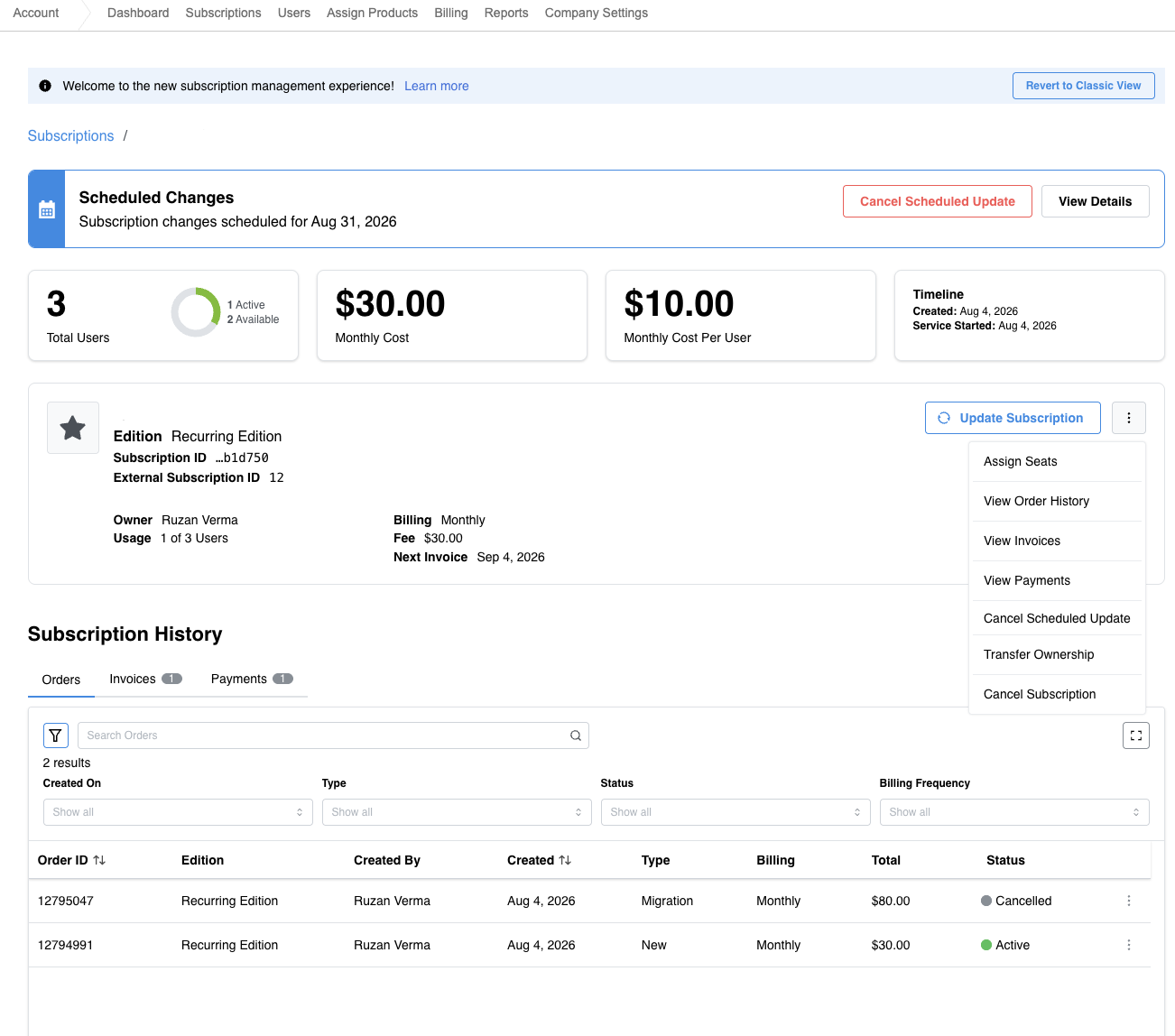
-
On the subscription listing, Cancel Scheduled Update appears in the options menu between View Payments and Transfer Ownership.
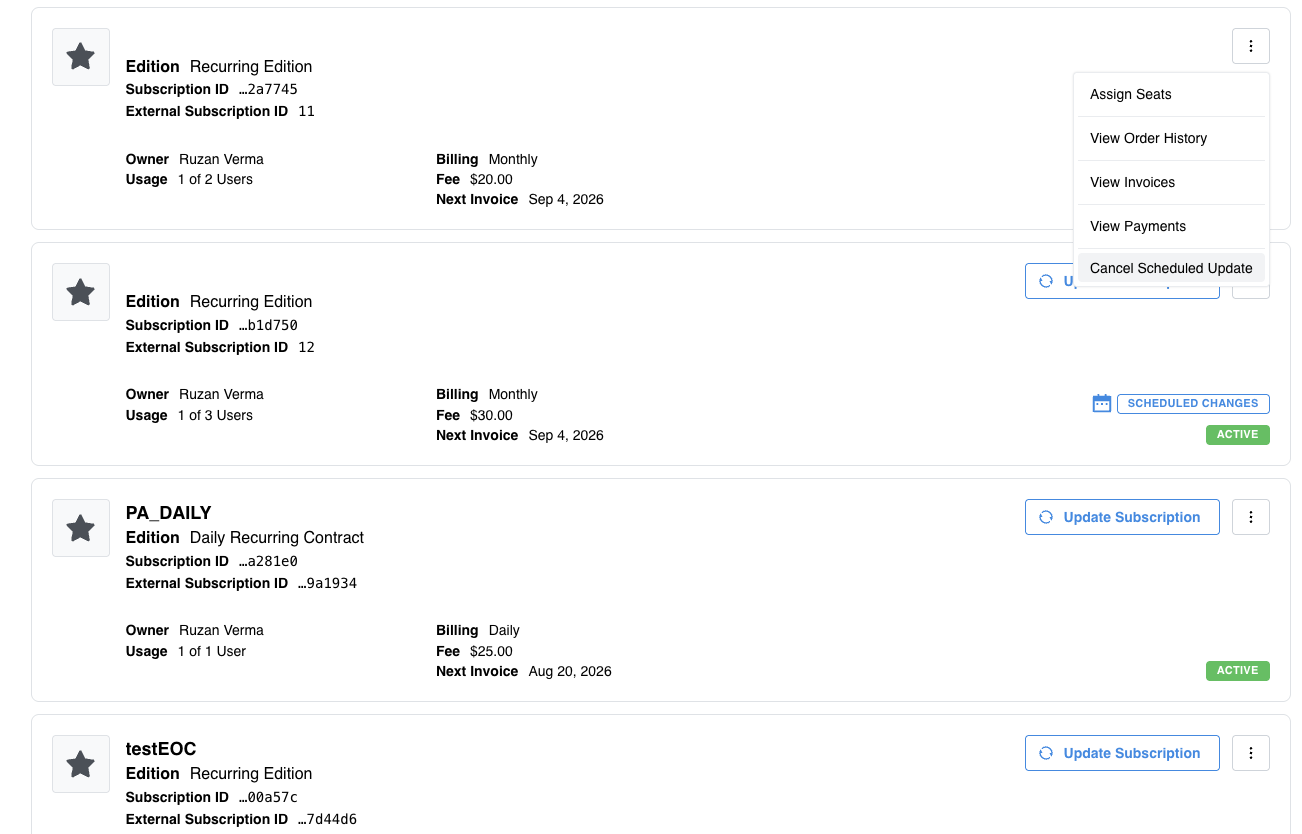
Feature enablement
This feature is not enabled by default. Contact your AppDirect technical representative to request it.
Setting enablement
No setting enablement is required.
Documentation
Documentation will be updated with the release.
Was this page helpful?
Tell us more…
Help us improve our content. Responses are anonymous.
Thanks
We appreciate your feedback!