Soft-cancellation using the Microsoft Sync tool
Moderate Upgrade
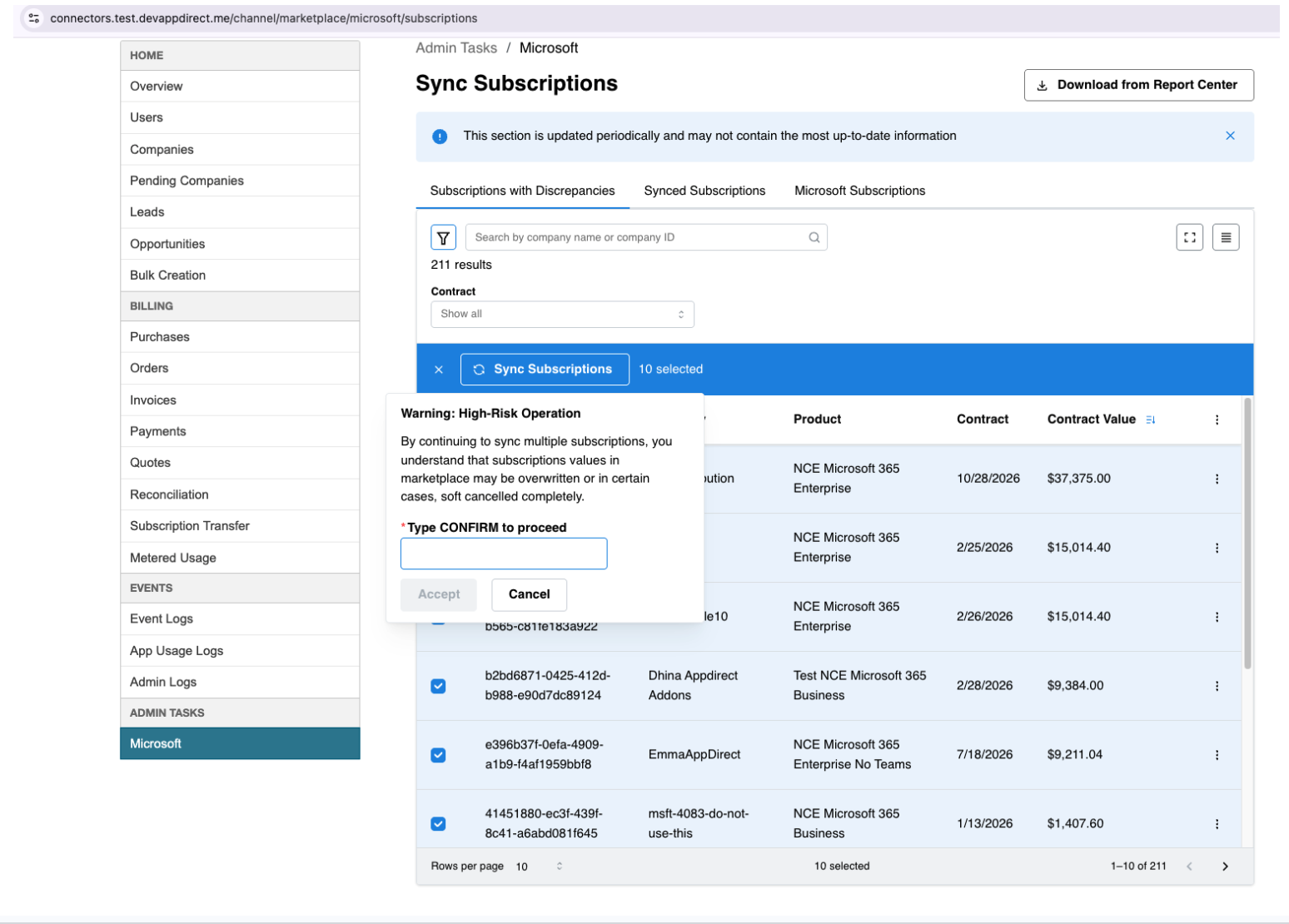
Microsoft Sync tool now supports a single-step soft-cancellation flow for resolving discrepancies in eligible subscriptions. Previously, fixing these discrepancies required several manual steps. The updated workflow consolidates the process into a single action within the Sync Subscription flow, reducing effort and improving efficiency.
This enhancement applies only to subscriptions with discrepancy types that support soft-cancellation and remigration. Users can also select one or multiple eligible subscriptions for batch processing.
All subscriptions with discrepancies appear in the Subscriptions with Discrepancies tab on the Sync Subscriptions page. Selecting a subscription entry displays its discrepancy details. Depending on the discrepancy type identified when compared to Partner Center data, clicking Sync Subscription performs one of the following actions:
-
Soft cancel only: Removes the subscription from the marketplace. This action cannot be undone.
-
Migration only: Imports the correct data from Partner Center. Billing resumes in the marketplace once the migration is complete.
-
Migration and soft cancel: Soft-cancels the existing subscription, removes it from the marketplace, and then imports the correct data from Partner Center.
Feature enablement
No feature enablement is required.
Setting enablement
No setting enablement is required.
Documentation
Refer to Microsoft Sync UI.
Was this page helpful?
Tell us more…
Help us improve our content. Responses are anonymous.
Thanks
We appreciate your feedback!