Adobe mid-term subscription upgrades
Major Upgrade
Marketplace now supports mid-term upgrades for Adobe subscriptions. Partners can upgrade customer subscriptions during an active term without waiting for renewal, in compliance with Adobe VIP Marketplace rules.
Capabilities
This feature enables two upgrade paths:
| Upgrade type | Description |
|---|---|
| Partial Transfer | Transfer a subset of licenses from an existing subscription to another subscription (existing or new higher-tier). Both subscriptions remain active. |
| Full Transfer | Move all licenses from an existing subscription to a higher-tier subscription. |
Customer impact
Customers can upgrade to higher-tier Adobe products within their current term by transferring all or a portion of their existing subscription licenses to a supported upgrade option.
UI changes
Initiating a mid-term upgrade
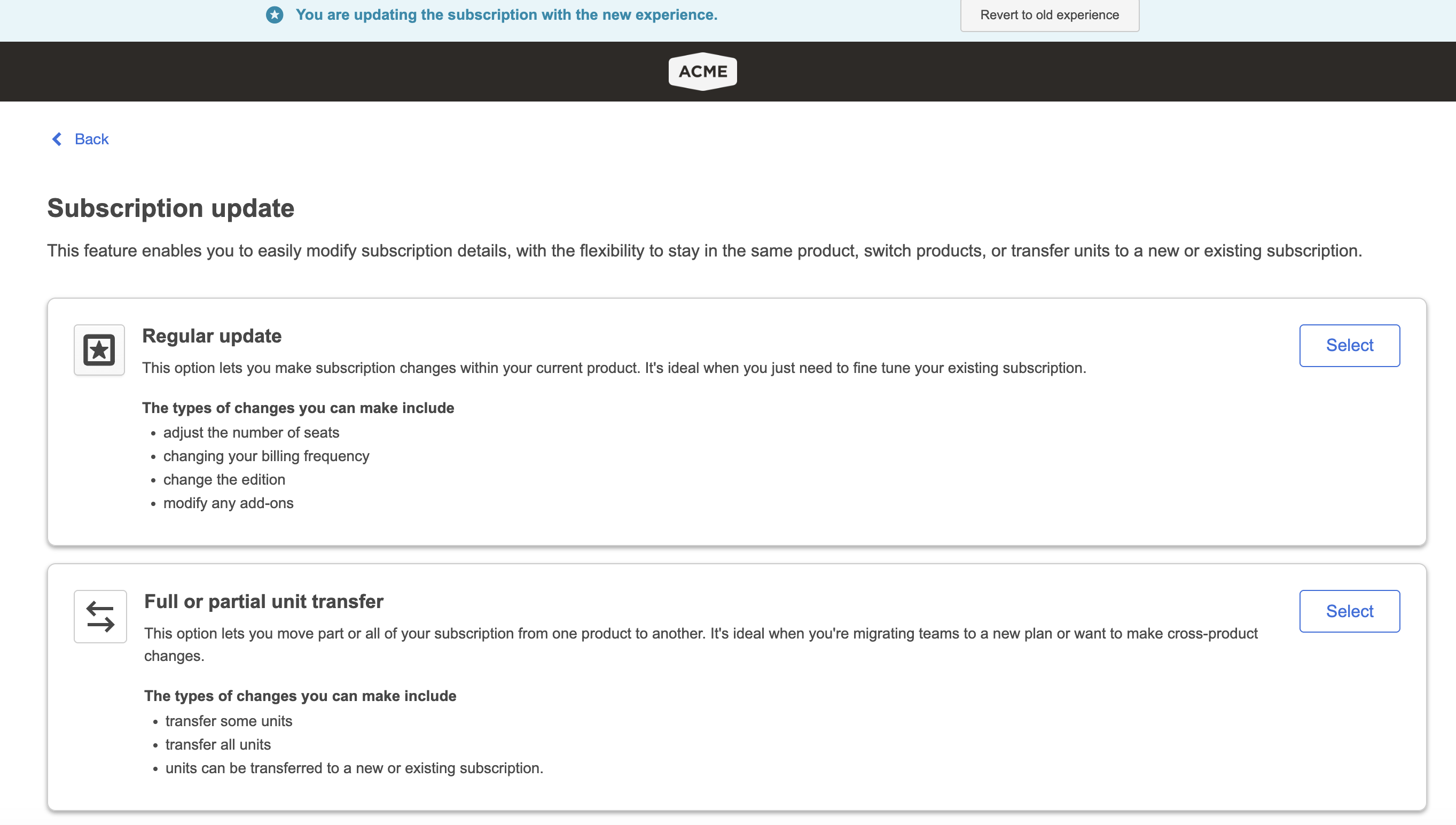
- Navigate to the Update V2 flow. Sales agents and end customers can choose Regular or Mid-term upgrade.
- Select Full or partial unit transfer to enter the Adobe mid-term upgrade flow.
Performing the upgrade
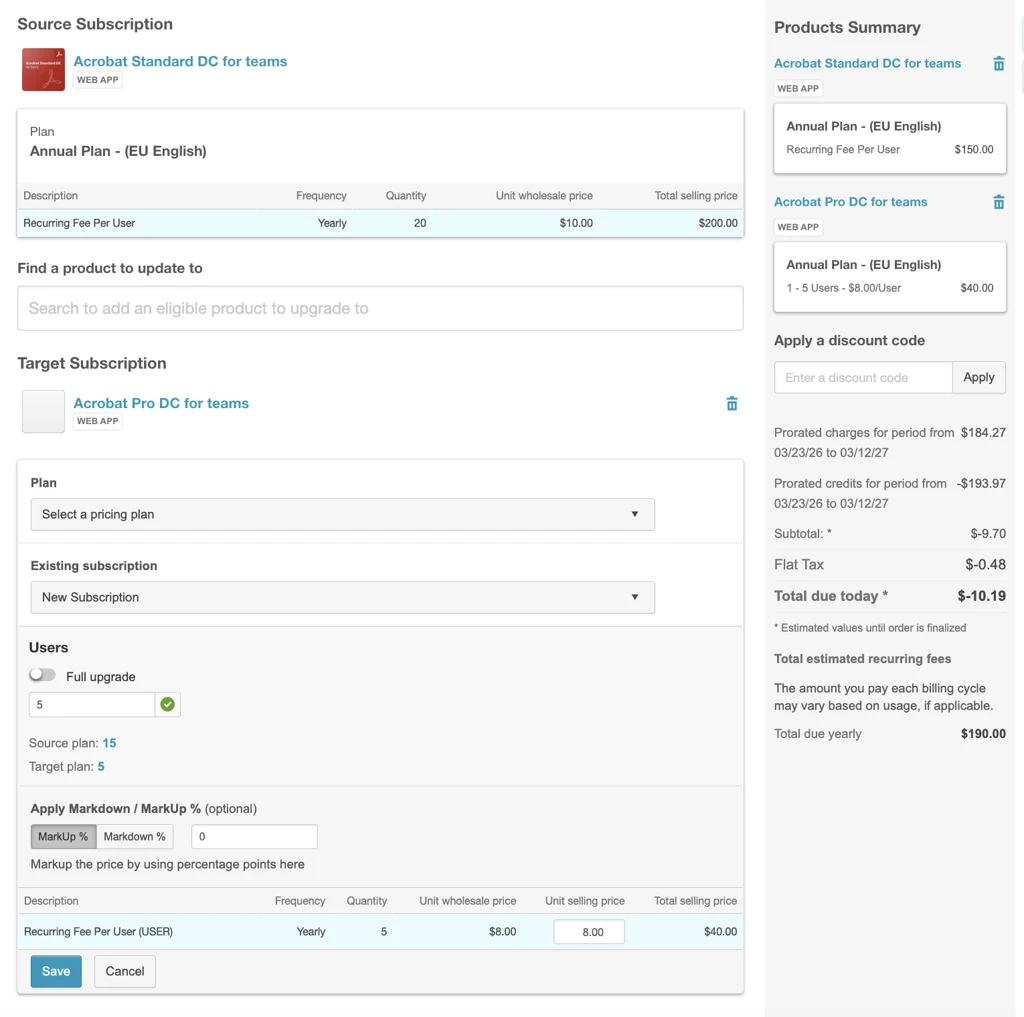
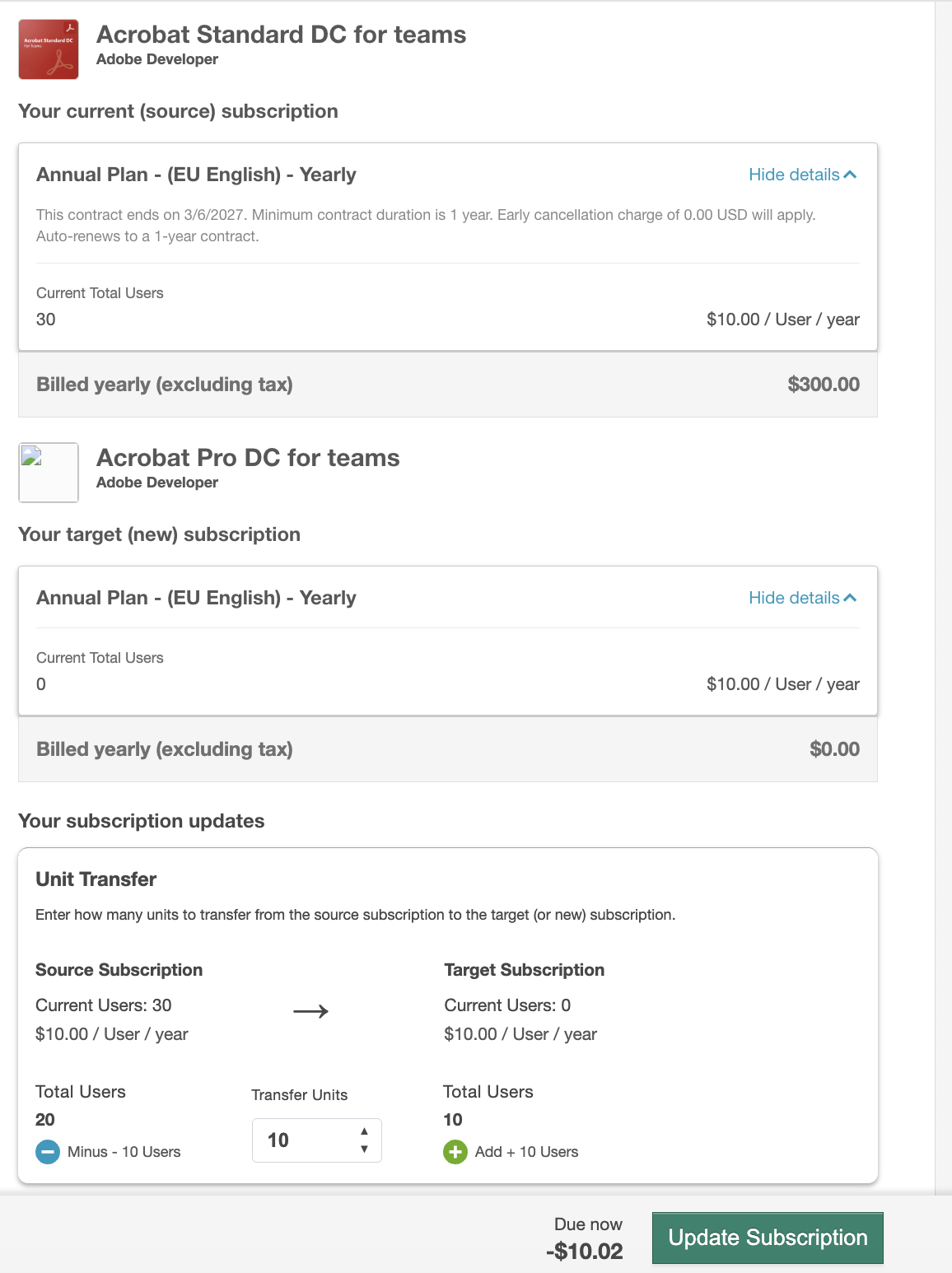
Once the transfer type is selected, users can choose the target subscription and specify the number of licenses to move. The experience is available to both sales agents and end customers.
- Sales agent:
- End customer:
Feature enablement
This feature is not enabled by default. Contact your AppDirect technical representative to request it. The Update V2 feature must be enabled as a prerequisite.
Setting enablement
No setting enablement is required.
Documentation
Documentation will be updated with the release.
Was this page helpful?
Tell us more…
Help us improve our content. Responses are anonymous.
Thanks
We appreciate your feedback!